Rearview Mirror Monitor vs Dash Screen: Which Is Better?
Rearview mirror monitor vs dash screen: choose the one that keeps the clearest rear view closest to your natural eye line. In many cars, that means the rearview mirror monitor, but a dash screen wins if the mirror blocks your view or sits too high. Poor placement forces extra head movement and can slow reverse checks. This guide compares fit, sightlines, camera access, and installation so you can pick the better display for your vehicle.
| Decision factor | Rearview mirror monitor | Dash screen | Winner |
|---|---|---|---|
| Eye-line movement | Closer to the factory rearview mirror, so the shift from road to video is usually small. | Requires a separate glance to the dash or windshield area. | Rearview mirror monitor |
| View obstruction risk | Can block part of the windshield if the housing is large or mounted too low. | Usually leaves the mirror area clear, but can crowd the dash or lower windshield. | Tie |
| Fitment risk | Depends on mirror size, shape, and available space behind the factory mirror. | Depends more on dash space and the available mounting spot than mirror shape. | Dash screen |
| Glare control | Often benefits from anti-glare treatment because the screen sits near bright windshield light and headlights. | Can still glare, but placement is easier to adjust away from direct reflections. | Dash screen |
| Install complexity | Can be simple if it straps over the mirror, but replacement-style units need exact fit. | Often simpler to position, but cable routing may be more visible. | Dash screen |
| Backup-camera usefulness | Strong for reverse checks because the video sits near the normal rear-view location. | Also strong, especially if the screen is mounted where you already glance during reversing. | Tie |
| Older cars | Often a good retrofit if the factory mirror is plain and the cabin lacks screen space. | Also works, but may look busier in a small cabin. | Rearview mirror monitor |
| Newer cars | May be redundant if the factory mirror is already large and well placed. | Can be better when you want a dedicated display without covering the mirror. | Dash screen |
Mounting positions and screen size fit limits
Rearview mirror monitor: how it mounts and what it can show
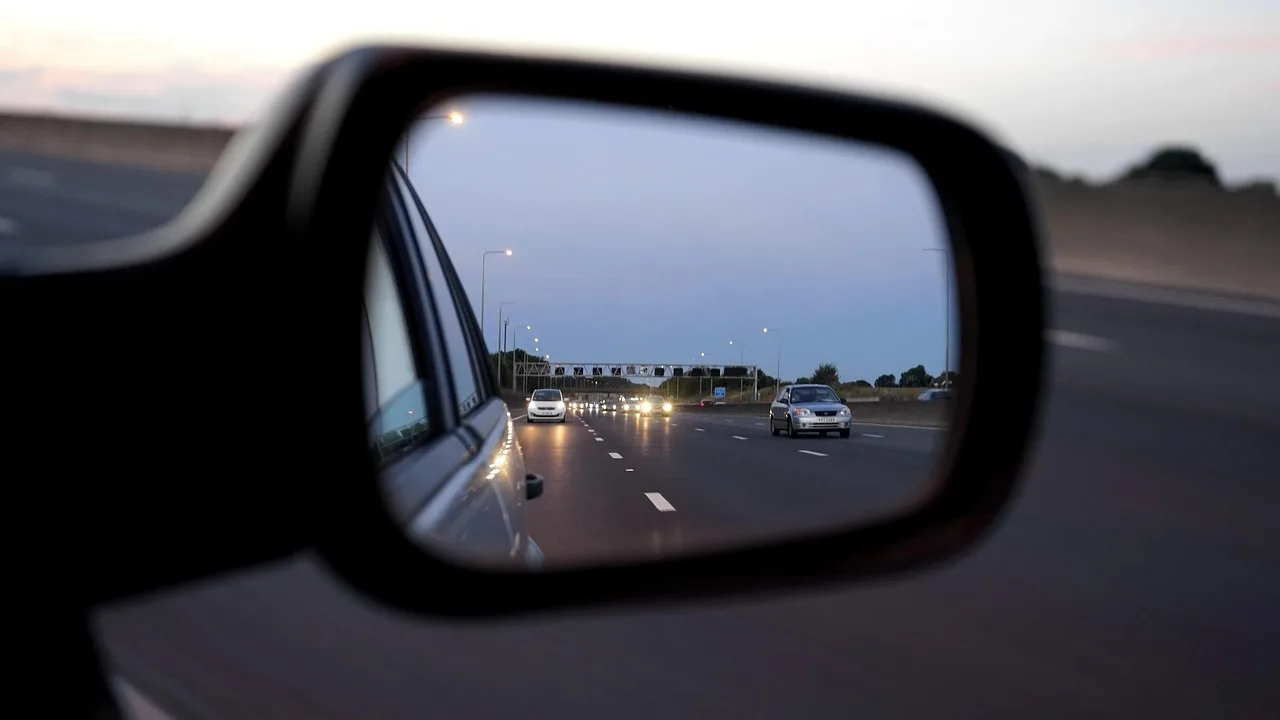
A rearview mirror monitor mounts over the factory mirror or replaces it, then shows rear camera video on the mirror surface. Many units can also support front and rear views, which is useful if you want one display for reversing and recording. Fit still depends on the vehicle’s mirror size and shape.
That fit issue matters more than spec sheets suggest. A unit with a large screen can look ideal on paper and still sit awkwardly on a narrow mirror or crowd the windshield in a small cabin.
Dash screen: where it sits and how it changes sightlines
A dash screen is a separate display mounted on the dashboard or windshield. It uses a dedicated viewing location away from the mirror, which can help in vehicles where the factory mirror is already good but the driver wants a cleaner display path. Poor placement can pile clutter onto the cabin and pull the eye farther from the road.
The practical question is not whether the screen exists. It is whether the driver reaches it with the fewest head movements in that cabin.
Typical screen sizes and fit limits
A common example is the Miofive Mirror 1, which uses an 11.26-inch curved display. TechRadar notes that the Mirror 1 may be too big for some vehicles, which is exactly the kind of fit warning shoppers should take seriously. A large screen can help with split or dual-view layouts, but it is not automatically the better choice.
For smaller cars, screen size can become a packaging problem before it becomes a visibility gain. Mirror placement, windshield angle, and driver height all change how much of the display you can see without extra movement.
📊 Manual day/night mirrors began appearing in the 1930s. Source: Rearview mirror.
Mirror screen
View obstruction and eye-line movement
The biggest advantage of a rearview mirror monitor is its location. It keeps the rear image close to the normal mirror check, so the driver usually moves the eyes less than with a dash screen. A dash screen can still work well, but it asks for a different glance point.
Say your sedan already has a mirror centered high on the windshield and the screen replaces it cleanly. The eye shift is short. Now suppose the same screen sits lower than the mirror and partly covers the glass; the extra obstruction becomes the problem, not the video quality.
Fitment risk and cable visibility
Fitment risk is higher on mirror-mounted units because the mirror size and shape must cooperate. Some products offer strapped, stuck, or screwed-on mounting, which helps, but the mirror still has to clear the housing and wiring. Dash screens avoid mirror-shape issues, though they can leave more visible cabling if routing is sloppy.
That is why older vehicles often benefit from a mirror monitor only when the factory mirror is plain and the windshield area is open. Newer cars with more sculpted mirrors or integrated driver-assistance hardware can make a mirror replacement feel cramped fast.
Glare, install complexity, and camera pairing
Anti-glare display treatment matters most on mirror-style screens because the screen sits in the same bright field as the windshield. The same source describes the Mirror 1 display as having anti-glare capabilities, which is the kind of feature that helps in bright cabins, night driving, and headlight-heavy traffic. A dash screen still needs decent glare control, but you can angle it away from reflections more easily.
The same product also includes 5GHz Wi-Fi and Bluetooth 4.2, plus speed camera alerts and GPS. Those features can matter for setup, file transfer, and driver-assistance functions, but they do not decide the visibility contest by themselves.
Older cars vs newer cars
Older cars often gain more from a rearview mirror monitor because the factory mirror is plain and there may be no built-in display. Newer cars are different. If the factory mirror already sits well and the driver wants a dedicated screen without covering it, a dash screen can be the cleaner answer.
Picture a small hatchback with a short windshield and little dash depth. An 11.26-inch mirror display may crowd the cabin. A compact dash screen can fit better if the mirror itself is already doing its job.
Will a rearview mirror monitor block your view more than a dash screen?
Sometimes, yes. A rearview mirror monitor can block more of the forward view than a dash screen if the mirror is small, the screen housing is large, or the unit sits too low on the windshield. In the right vehicle, though, the mirror monitor can block less in practice because it keeps the rear image in the natural mirror zone.
Mirror size and shape limits
Mirror-mounted units work best when the factory mirror is wide enough and shaped simply. Small mirrors leave less room for a monitor body, and curved or oddly shaped housings can expose edges that distract the eye. The issue is not only whether the unit fits. It is whether the fit still leaves a clear forward view.
Driver height and windshield angle
Driver height changes the answer. A tall driver may see the lower edge of a mirror monitor more often, especially in vehicles with a shallow windshield angle. A shorter driver may place the display comfortably in line with the normal mirror glance. That is why the same screen can feel fine in one car and wrong in another.
When a mirror replacement is too large
When the display is oversized for the mirror opening, the safest choice is usually to skip the mirror replacement and use a dash screen instead. TechRadar’s note that the 11.26-inch Mirror 1 may be too big for some vehicles is a good reminder that large does not mean universal. A display that fits the mirror area cleanly beats a larger one that intrudes on the windshield.
Which is easier to install?
Dash screens are usually easier to position, while mirror monitors can be simpler only when the mirror fit is obvious and the mounting method is straightforward. The hard part is not always the screen itself. It is making the wiring neat, stable, and out of the way.
Mirror mounting and replacement fit
A rearview mirror monitor can be mounted in three common ways on some products: strapped, stuck, or screwed on. That flexibility helps, but replacement-style installs still require a mirror that matches the unit well. If the mirror housing fights the install, the job becomes fiddly quickly.
Dash mounting and cable routing
Dash screens usually mount more quickly because the display has its own location. The tradeoff is cable routing. If the cable runs across the dash or hangs below the windshield, the cabin looks busier and the install quality drops even if the screen itself is fine.
- Check the mirror shape and available clearance.
- Check dash space and windshield mounting room.
- Plan the camera cable route before buying.
- Choose the display location that keeps the fewest visual distractions.
Where install risk tends to rise
Install risk rises in small vehicles, in cars with tight mirror mounts, and in cabins where the windshield leaves little room for a screen body. It also rises when the buyer wants front and rear camera support, since more wiring and more views increase the chance of poor placement.
Do mirror monitors work better with backup cameras?
They often do for pure reversing use, but not because the camera itself is better. The rear-facing camera still determines rear coverage. The display choice mainly affects how naturally you check the image, and mirror-mounted video usually feels closer to a standard rear-view glance.
Rear camera placement and coverage
Backup camera placement affects what the driver can actually see. A camera mounted too high may flatten distance; one mounted too low may miss traffic or objects above bumper level. That matters regardless of whether the image lands on the mirror or on a dash screen.
Split view, dual view, and front camera support
Mirror monitors often support front and rear views at the same time, which can help drivers who want split or dual layouts. The Miofive Mirror 1’s 11.26-inch curved display is large enough to make that kind of layout practical, but only if the vehicle has room for it. Dual-view support is useful when you want one device to cover recording and reversing.
The competitor hardware list also shows a front camera at 4K 3840 x 2160 at 30fps and a rear camera at 2K 2560 x 1440 at 30fps, plus 5GHz Wi-Fi and Bluetooth 4.2. Those specs matter more for dash cam recording and file handling than for the basic question of rear visibility.
When backup-only use makes sense
If the only goal is a clearer reverse image, do not overbuy extra features. A simple backup-camera setup on either display type is enough. Driver-assistance extras such as speed camera alerts, GPS, and AI help are nice to have, but they should not decide a buy for someone who only wants a better rear view.
Choose Rearview mirror monitor if… / Choose dash screen if…
Choose a rearview mirror monitor if your factory mirror sits in a good spot, the windshield is open enough for the display body, and you want the rear image closest to the normal mirror check. It is also the stronger pick for many older cars and for drivers who want front and rear video on one mirror-style display.
Choose a dash screen if the mirror is small, the mirror housing is awkward, or the screen would sit too large in the windshield area. It is also the better fit for newer cars with a good factory mirror, for cabins with tight mirror clearance, and for drivers who want the least head movement without covering the mirror at all.
Choose a rearview mirror monitor if you mainly need backup-camera visibility and your vehicle can accept a mirror-sized display cleanly. Choose a dash screen if your vehicle already has a decent mirror and the display would be easier to place away from it.
For older vehicles, the mirror monitor often wins because it turns unused mirror space into a rear-view display. For newer vehicles, the dash screen often wins when the factory mirror is already clear, large, and well positioned.
Frequently asked questions
Is a rearview mirror monitor better than a dash screen?
It is better when the mirror location is the closest, clearest place to view the rear camera image. That usually reduces eye movement. A dash screen is better when the mirror area is too small, too low, or too crowded for a clean fit.
Will a mirror monitor block my view more than a dash screen?
It can, especially if the monitor is oversized or hangs lower than the factory mirror. A dash screen usually leaves the mirror area open, but bad dash placement can create its own clutter. The real question is which layout leaves the least obstruction in your car.
Which is easier to install: mirror monitor or dash screen?
A dash screen is usually easier because it has a separate mounting point. Mirror monitors can be simple when the fit is right, but they become harder when the mirror shape is unusual or the unit needs a precise replacement-style install. Cable routing matters for both.
What screen size is typical for a mirror monitor?
Many mirror monitors sit in a size range that fits over the factory mirror, but one concrete example is the 11.26-inch display on the Miofive Mirror 1. That size is large enough for split or dual-view layouts, yet TechRadar notes it may be too big for some vehicles.
Can a mirror monitor show front and rear video at the same time?
Yes. Many mirror monitors support front and rear views, and some larger units are sized for split layouts. That feature is most useful if you want one display for reversing, recording, and driver-assistance prompts. It is less important if you only want backup-camera viewing.