What Is a License Plate Camera on a Car?
A “license plate camera” on a car usually means either a backup camera mounted near the plate or an ALPR plate-reading camera; one gives you a rear view for backing up, parking, or general visibility, while the other identifies plates. Mixing them up can mean the wrong part, wasted money, and confusion about wiring or legal use. This guide explains both types and how to tell them apart fast.
What is a license plate camera?
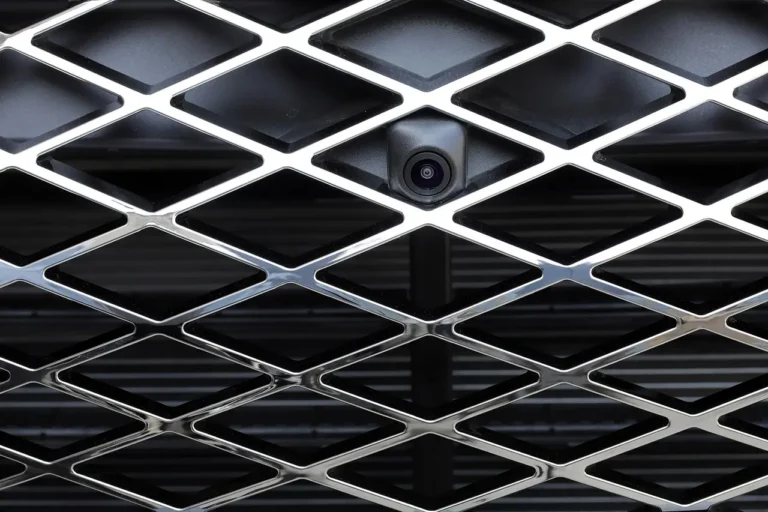
In car-product listings, the phrase usually points to a rear-mounted camera placed near the license plate area. In that use, the camera gives you a rear view for backing up, parking, or general visibility. It is usually built into a frame, bracket, or small housing around the plate recess.
The confusion starts because some buyers mean a plate-reading system instead. That second meaning is not a simple rear camera. It is an Automated License Plate Reader, or ALPR, which uses machine vision and software to identify plate characters and compare them with a database.
Backup camera near the plate
This is the version most passenger-car shoppers mean. It sends video to an in-cab display or dash monitor so you can judge distance behind the bumper. Many models use a wide-angle lens, and some add night vision or infrared LEDs for low-light scenes.
License plate reader and ALPR
This is a recognition system, not a basic rear-view camera. A license plate reader camera captures plate characters, then software tries to match that plate against a database. Police, fleets, tolling, and parking systems commonly use it for identification and alerts.
License plate camera comparison
If you are shopping from a product listing, the quickest way to separate the two products is to ask what the camera is built to do. One type shows the rear view. The other reads plate data and usually needs software, storage, and a matching database to be useful.
| backup camera near the plate | license plate reader/ALPR |
|---|---|
| Purpose: help you back up and see behind the vehicle | Purpose: identify plate characters and flag a vehicle |
| What it captures: wide rear view, bumper area, obstacles | What it captures: plate text and plate image for recognition |
| Typical users: passenger cars, trucks, vans, RVs, fleet vehicles | Typical users: police, fleets, tolling, parking systems |
| Software need: usually only a display or rear-view monitor | Software need: yes, plus database matching and alert logic |
| Privacy risk: mainly the normal rear-camera image feed | Privacy risk: higher, because plates can be stored, searched, and flagged |
| Fitment concerns: frame size, bracket clearance, plate visibility, wiring | Fitment concerns: camera aiming, capture angle, data system setup, placement rules |
How do license plate cameras work?
Rear-view versions work by sending a live image from a camera near the plate area to a monitor inside the vehicle. The driver sees what is behind the car, often with guidelines or a simple live feed. Angle matters, because a poor tilt can hide the bumper edge or make distance judgment difficult.
ALPR systems work differently. They do not stop at video capture. They use machine-vision software to isolate plate characters, compare them against stored records, and trigger an alert when a plate is flagged. One reported incident tied an automated license plate reader to a flagged rental car in California as stolen, which led to a high-risk stop and occupants being detained at gunpoint before innocence was confirmed.
Rear view capture and monitor output
A backup camera near the plate usually feeds a rear-view monitor or the vehicle’s display. In commercial systems, the monitor may use AHD or CVBS input formats, and brightness plus resolution affect how usable the image looks in daylight and at night. A common product page for vehicle monitors may list AHD compatibility and a resolution around 1024*RGB*600.
Wireless and wired kit basics
Backup-camera kits may be wired or wireless. Wired kits usually offer a direct signal path and are common in commercial installs. Wireless kits reduce cable runs, but they still need power at the camera and a stable signal path to the display. Either way, the installer still needs clean routing, secure mounting, and a monitor that matches the camera output.
Night vision and infrared in low light
Low-light performance matters because plate-area cameras often face dusk, rain, road spray, and dark parking lots. Night-vision or infrared features can help the image stay readable, especially when the housing is weather sealed. Even then, exposure, angle, and dirt on the lens still affect clarity.
Say your sedan has a steep rear bumper and a dim driveway. A camera with infrared can help the monitor keep a usable image after sunset, but it still needs a proper angle. If the lens points too low, you will only see the pavement and miss the area behind the car.
What are license plate cameras used for?
For everyday drivers, the main use is backing up. For fleets and enforcement systems, the main use is plate capture and identification. That difference matters, because the hardware, software, and installation approach are not the same. A backup camera helps with visibility. An ALPR system helps with recognition.
Backing up and parking aid use
On passenger vehicles, the plate-area camera often acts as a rear visibility aid. It can help you line up with a parking space, back out of a tight driveway, or see a child’s bike, curb, or trailer hitch. Many owners choose it because the plate area already offers a central rear mounting point.
Fleet, tolling, and enforcement use
ALPR systems are used by police, fleets, tolling, and parking systems because they can identify vehicles by plate, not just by image. That is why they are tied to database matching and alerts. They can flag a vehicle for review, but they also raise privacy and false-match concerns when a plate is misread or a database record is wrong.
Suppose a parking operator wants automated entry control for a gated lot. A plain rear camera will not do that job. The system needs a plate reader, software, and a database of allowed vehicles, otherwise it is only recording video and not making a recognition decision.
Rear visibility in trucks and vans
Vehicles with limited rear glass often rely on a camera near the plate recess or on a bracket below the tailgate. That setup can help trucks, vans, trailers, buses, and forklift applications when paired with a suitable monitor. Some commercial monitor products are marketed for heavy duty vehicles, which makes the display side just as important as the camera itself.
Is a license plate camera the same as a license plate reader camera?
No. A license plate camera on a car can be only a rear-view camera placed near the plate area. A license plate reader camera, also called ALPR or ANPR, is built to capture plate characters for identification. If software and database matching are part of the product, you are no longer looking at a simple backup camera.
That difference is easy to miss in listings that use the same phrase for both products. Check for words like “read,” “recognition,” “alert,” “database,” or “plate capture.” If the listing only mentions rear view, parking, monitor output, or camera angle, it is probably a backup camera. If it mentions flagging vehicles, it is ALPR.
What ALPR reads
ALPR systems read plate characters, then compare those characters with stored data. The output may be a text record, an alert, or a match result. That is why these systems depend on software. A lens alone cannot decide whether a plate belongs on a watch list or a toll account.
Why software and databases matter
The database is the point of the system. Without it, a plate-reader camera only records images. With it, the system can flag a plate and pass that result to law enforcement, a parking gate, or a fleet dashboard. That dependence also creates false-match risk when characters are obscured, dirty, bent, or read at a bad angle.
Privacy and false-match issues
ALPR is often tied to surveillance and enforcement because it can track where and when a plate was seen. That makes privacy questions real, especially when records are stored for long periods or shared across agencies. False matches are also a concern, since a single bad read can trigger an unnecessary stop or detention.
Where is a license plate camera mounted on a car?
Plate-area cameras are often mounted just above, below, or beside the license plate. Some sit in a frame around the plate, while others attach to a bracket near the plate recess. The exact spot matters because the camera needs a clear rear view without blocking the registration numbers or the state name.
Frame-mounted setups
A license plate frame camera integrates the camera into a frame around the plate. It can look clean when sized correctly, but fit depends on frame size and how deeply the plate sits in the vehicle recess. If the frame is too large or the lens sits too low, it can hide part of the tag edges.
Bracket-mounted setups
A license plate bracket camera is useful when drilling the body panel is undesirable. The camera mounts to a bracket near the plate instead of replacing the whole frame. That can make service easier, but the bracket must be secure against vibration and water ingress, and the angle still has to be set carefully.
Clearance around the plate and trunk lid
Clearance is not a minor detail. Hatchbacks, sedans, and SUVs all have different plate recess depths and trunk-lid shapes. A camera that sits too far out may catch road spray and vibration. One that sits too far in may clip the rear view or interfere with opening panels and trim.
Legal and fitment checks before you buy
Before ordering, check two things: whether the camera blocks any part of the plate, and whether the system matches your car and display. Placement rules can vary by location, so a safe approach is to keep the registration numbers and state name fully visible and make sure the camera does not create a plate obstruction.
- Confirm the camera does not cover plate numbers, the state name, or registration stickers.
- Measure the plate recess and compare it with the frame or bracket dimensions.
- Check whether the camera output matches your monitor type, such as AHD or CVBS.
- Decide whether you want a wired kit, a wireless kit, or a factory-style integration.
- Verify that the camera angle leaves the plate visible while still giving a usable rear view.
A common first-timer mistake is buying a plate-frame camera for a shallow trunk recess and finding that the lens sits too close to the edge. The result is a tilted image, visible vibration, and partial plate obstruction. Checking fit before installation avoids most of that trouble.
Product pages can also help you sort out quality and support. A commercial listing may note a 2-year warranty service, certification test claims, and even 15 years of experience in Automotive Security. Those details do not change how the camera works, but they do help you compare monitor and camera packages for commercial use.
Frequently asked questions
Can you take pictures of license plates?
Yes, a rear camera can capture a plate image if the plate is in view. But capturing a picture is not the same as reading or identifying the plate. Whether a clear image turns into a useful record depends on angle, lighting, motion blur, and whether software is involved.