Wireless CarPlay vs Wired: Daily Use Differences Explained
Wireless CarPlay is the better pick for short trips and shared cars, since you do not need to plug in every time. Wired CarPlay is better if you want the quickest start, steadier charging, and less battery drain. Pick the setup that matches your drive pattern. A bad match can mean a dead phone on arrival, extra cable clutter, or a connection that drops when you need maps or calls. This guide compares both setups in commutes, quick stops, road trips, and rideshare use so you can pick the one that fits your routine.
| Decision factor | Wireless CarPlay | wired | Winner |
|---|---|---|---|
| Startup after you get in | Usually needs Bluetooth discovery first, then Wi‑Fi handoff | Usually connects as soon as the USB link is recognized | wired |
| Phone charging during use | Does not charge unless you also use Qi, a 12V charger, or another method | Usually charges the iPhone while CarPlay runs | wired |
| Cable friction | No cable to plug in or unplug | Requires a cable every trip | Wireless CarPlay |
| Connection stability | More exposed to pairing issues, Wi‑Fi interference, and stored-device conflicts | Usually steadier if the USB port and cable are sound | wired |
| Best fit for shared vehicles | Automatic reconnection can help when only one phone is usually active | Works well when one driver wants a fixed phone-and-cable routine | Wireless CarPlay |
Wireless CarPlay vs wired: what changes after startup
Once CarPlay is running, the main differences are convenience, power use, and how well the link holds up in real driving. Wireless CarPlay typically uses Bluetooth for discovery and setup, then Wi‑Fi for the main CarPlay data stream, while wired CarPlay uses a USB connection and often charges the phone at the same time.
What stays the same once CarPlay is running
Both versions turn the car infotainment head unit into the iPhone’s display and controller for supported apps. Maps, calls, messages, and audio can look and feel similar once the session is up. The split starts to matter after startup, when phone battery, connection stability, and plugging habits change the experience.
Wireless means transfer of information signals without using wires, and in CarPlay that short-range link stays inside the cabin. Wireless networking includes Bluetooth as an example, but Bluetooth alone does not carry the full CarPlay session. Wi‑Fi takes over for the data stream once the pair has been established.
How wireless CarPlay works in the car
Wireless CarPlay depends on two radios working together. Bluetooth handles discovery and the initial handshake, then Wi‑Fi carries the CarPlay data stream without a USB cable. The car and iPhone must both support the feature, and many factory wireless systems store pairing profiles so reconnection can happen automatically.
Bluetooth for discovery and handshake
Bluetooth is the first step because it helps the phone and head unit find each other. That does not mean Bluetooth carries maps, live UI updates, or the whole CarPlay session. It is the setup bridge, not the full road.
Wi‑Fi for the CarPlay data stream
Once paired, the iPhone and head unit use Wi‑Fi for the main connection. Wi‑Fi products use the IEEE 802.11 WLAN standards, and wireless LANs use a wireless distribution method over short distance. In a car, that short-range cabin link is what makes wireless CarPlay possible without a cable.
That link affects lag and dropouts. Wi‑Fi is the brand name for IEEE 802.11 WLAN products, and implementation matters: some units use 2.4 GHz behavior, some 5 GHz, and some handle interference better than others. That is one reason wireless CarPlay can feel different from one vehicle to the next.
What the head unit and iPhone must support
The car infotainment head unit must support the CarPlay protocol, either from the factory or through an aftermarket unit. The iPhone must support CarPlay, and for wireless use Bluetooth and Wi‑Fi generally need to be enabled. iOS version can affect compatibility, especially when a head unit uses stored pairing profiles or a newer wireless stack.
Factory and aftermarket units can behave differently. Wireless-capable factory systems often reconnect faster and with fewer steps, while some aftermarket setups depend on adapters that add another layer between the phone and the head unit. That extra layer can change how quickly the connection returns after a restart or a phone swap.
How wired CarPlay works with USB
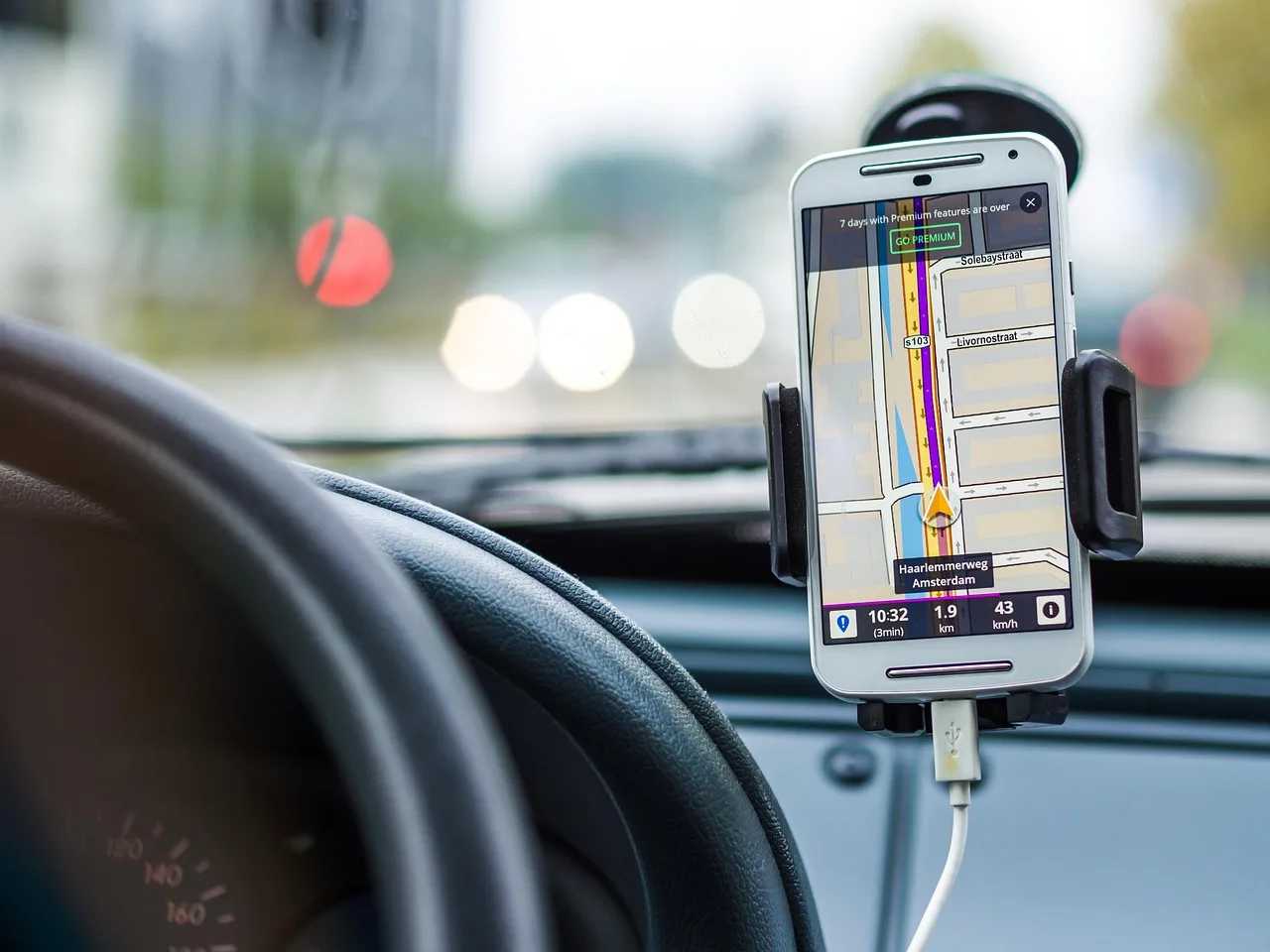
Wired CarPlay uses a USB connection instead of a wireless handoff. The cable carries the data link and usually charges the iPhone at the same time, which is why wired setups often start with less delay and feel simpler when the phone is already low on battery.
USB data connection and charging
With wired CarPlay, the USB port in the car becomes part of the system. If the port is sound and the cable supports data, the phone usually connects quickly. That charging step is a major practical difference, because the phone can gain power while CarPlay is running instead of slowly losing it.
Why cable quality matters
A USB cable is not just a charging cord in this context. Some cables are charge-only or too flaky for stable data transfer, and bad cables can cause connection failures. A good-quality cable with data support is the first thing to check when wired CarPlay acts inconsistent.
Port quality matters too. A loose port, debris in the connector, or a worn cable can create a session that drops, reconnects, or never launches. Wired is usually more stable than wireless, but only if the hardware path is clean.
Why wired setups often start sooner
The phone does not need to negotiate a wireless handoff before CarPlay begins. That direct connection is why wired CarPlay often starts sooner and feels more predictable at the moment you turn the key or wake the head unit. For drivers who want immediate connection every time, that matters.
Does wireless CarPlay drain your iPhone battery faster than wired CarPlay?
Yes, wireless CarPlay usually drains the iPhone battery faster than wired CarPlay because it keeps the phone active over Bluetooth and Wi‑Fi without USB power. Wired CarPlay often offsets that drain with charging, so the battery trend is usually better on cable, especially during longer drives or repeated daily trips.
Battery use on short trips
On short errands, the battery gap can be easy to ignore if the phone starts the day near full. But if you take several five- to ten-minute trips, the lack of charging adds up. A phone that starts at 60% can feel fine on one stop and inconvenient by the third.
Battery use on longer drives
On longer drives, wireless CarPlay can leave the battery lower than expected, even though the trip itself feels easy. Wired CarPlay usually avoids that problem because the USB connection keeps feeding power. That is why long-trip drivers often prefer cable unless they have another charging plan.
How charging method changes the result
Wireless CarPlay can still work well if the car includes a Qi charging pad or the driver uses a 12V charger. Without one of those, the phone is running on battery alone. If the battery state matters, the charging method matters more than the CarPlay connection alone.
Picture a 20-minute school run followed by a grocery stop and a pickup across town. Wireless CarPlay may be fine for the first leg, then annoying by the third if the phone battery keeps falling. Wired CarPlay avoids that slow drain, even if the cable is a minor hassle.
Scenario comparison: morning commute, quick stop, road trip, and rideshare
The right choice changes by drive length, phone battery, and how often the car sees different drivers. In common use, wireless wins on plug-free convenience, while wired wins on charging and steady connection. The table below separates those outcomes by scenario instead of treating CarPlay like a one-size-fits-all feature.
| Scenario | Startup time | Charging result | Cable friction | Reconnect reliability | Best choice |
|---|---|---|---|---|---|
| Morning commute | Wireless may take a few extra seconds for Bluetooth then Wi‑Fi; wired usually starts sooner | Wireless drains unless another charger is used; wired usually tops up | Wireless has none; wired adds one more step every morning | Both are usually fine if the pairing is already stored | Wireless CarPlay if you value getting in and going; wired if your phone leaves home under 50% |
| Quick stop | Wireless is convenient because you do not need to plug in for a short errand | Charging is usually not the point on a 10-minute stop | Wireless wins clearly here | Wireless auto-connect can be enough if only one phone is usually active | Wireless CarPlay |
| Long road trip | Wired often feels faster at startup and after restarts | Wired usually keeps the iPhone charged; wireless needs Qi, 12V, or another plan | Wireless is cleaner, but the cable is less of a burden on a long drive | Wired is usually steadier over many hours | wired |
| Rideshare use | Wireless can be easier when different phones rotate through the car | Wired can keep a driver phone charged during repeated shifts | Wireless reduces passenger-phone juggling | Wireless may hit pairing conflicts if multiple devices are stored | Wireless CarPlay for shared-phone convenience; wired if one driver phone stays dedicated |
Morning commute
A daily commute is where wireless starts to look attractive. You get in, the car recognizes the phone, and there is no cable to unplug or forget. Wired still wins if the phone starts the trip low and you want the battery to rise instead of fall.
Quick stop
Short errands favor wireless CarPlay because the plug step feels unnecessary when the trip is brief. If a stop lasts 8 minutes and the battery is already healthy, the charging advantage of wired matters less. In that use case, cable friction is the whole story.
Long road trip
Long drives expose the limits of battery-only use. Wired CarPlay usually stays more reliable over time and keeps the phone charging, which matters for navigation, calls, and passenger charging needs. Wireless can work well, but only if the rest of the charging plan is already solved.
Rideshare use
Shared-car use is where automatic reconnection can help the most, but multiple paired phones can also create conflict. A car with several stored devices may connect to the wrong phone or hesitate while choosing. That is one reason rideshare drivers often keep one device and one routine, even if the cabin has more than one phone present.
Does wireless CarPlay disconnect more often or feel laggier?
Often, yes. Wireless CarPlay can disconnect more often than wired CarPlay because it depends on Bluetooth pairing, Wi‑Fi handoff, and stored profiles working together, while wired mode uses a direct cable link. Lag can also feel higher on wireless if the head unit or cabin radio environment is weak.
Common causes of dropouts
Dropouts often come from interference, weak Wi‑Fi implementation, a stale pairing profile, or a phone that is trying to talk to multiple devices. If the iPhone has Bluetooth and Wi‑Fi enabled but still struggles, the issue may be in the head unit rather than the phone. A bad USB cable can also mimic a wireless problem in wired mode.
A common first-time mistake is assuming Bluetooth alone is the full connection. The phone may pair, but the CarPlay session still fails because Wi‑Fi never takes over or the profile was not saved cleanly. That is why a restart sometimes fixes the issue faster than changing settings one by one.
Factory wireless units vs aftermarket adapters
Factory wireless CarPlay usually behaves differently from an aftermarket adapter. A native system may store pairing profiles and reconnect on its own, while an adapter adds another device that can fail or lag. That is why two cars can both claim wireless CarPlay and still feel very different in daily use.
When wired is the steadier choice
If the car is used for navigation in traffic, repeated calls, or long sessions where a drop matters, wired is usually the steadier choice. The USB path avoids most of the radio-link problems that wireless depends on. The trade-off is the cable, but many drivers accept that in exchange for fewer connection surprises.
What do you need for wireless CarPlay to work?
You need a CarPlay-capable head unit, a compatible iPhone, and the right wireless settings turned on. Wireless CarPlay depends on Bluetooth for the handshake and Wi‑Fi for the data stream, so both radios must be enabled. The car also has to support wireless CarPlay specifically, not just CarPlay over USB.
Car and head unit compatibility
The infotainment head unit must support the CarPlay protocol. Factory units and aftermarket units can both do this, but their wireless behavior may not match. If the car only supports wired CarPlay, no setting on the phone can add wireless support by itself.
iPhone settings and iOS version
The iPhone must support CarPlay, and wireless use depends on Bluetooth and Wi‑Fi both being on. iOS version can affect compatibility after updates, especially if the head unit is older or uses stored profiles. If wireless worked before and then stopped after an update, version mismatch is one of the first things to check.
Bluetooth, Wi‑Fi, and stored pairing profiles
Many wireless-capable head units remember prior pairings. That stored profile is what makes automatic reconnection possible in many vehicles. If the car tries to connect to the wrong phone, forgets the pairing, or stalls at startup, deleting the profile and pairing again can fix it.
- Check that the car actually supports wireless CarPlay, not only wired CarPlay.
- Confirm that the iPhone supports CarPlay and has Bluetooth and Wi‑Fi enabled.
- Remove old pairings from the head unit if another phone keeps taking priority.
- Restart the iPhone and the head unit if the connection stalls.
- Pair again, then save the profile if the system asks.
Choose wireless CarPlay if… / Choose wired if…
Choose wireless CarPlay if you want the least friction at the start of each trip, share the car with more than one driver, or mostly take short trips where charging is not a priority. Choose wired CarPlay if you want the fastest startup, the most consistent connection, and a built-in way to keep the iPhone charged on every drive.
Choose wireless CarPlay if…
Wireless is the better pick when you make quick commutes, short errands, or frequent stop-and-start trips. It also makes sense if you hate plugging in a cable every time or if the car is shared and automatic reconnection matters more than battery management.
Suppose your workday includes three 12-minute drives and one lunch stop. Wireless CarPlay may be the cleaner fit, especially if a Qi pad or 12V charger is already in the car. The key is knowing that the battery will not climb the way it usually does on USB.
Choose wired if…
Wired is the better pick when the phone starts the day low, the route is long, or you care more about steady charging than cable-free convenience. It is also the safer choice for users who have had repeated wireless dropouts, pairing confusion, or trouble with multiple stored phones.
If the car is used for long navigation sessions, rideshare shifts, or all-day driving, wired usually gives the calmer experience. It starts sooner, keeps the phone powered, and avoids most of the reconnection trouble that wireless can bring.
Frequently asked questions
Does wireless CarPlay drain my phone battery faster than wired CarPlay?
Yes. Wireless CarPlay keeps the iPhone active over Bluetooth and Wi‑Fi without USB power, so battery level usually drops faster than it would on wired CarPlay. The difference is smallest on very short trips and largest on long drives or repeated errands.
Is wireless CarPlay slower or laggier than wired CarPlay?
Usually yes, at least a little. Wired CarPlay often starts sooner and feels steadier because the USB connection skips the wireless handoff. Wireless can feel just as usable when the head unit is strong, but it is more sensitive to interference and pairing quality.
Can wireless CarPlay charge my iPhone at the same time?
Not by itself. Wireless CarPlay does not charge the phone the way USB usually does, so you need another charging method such as a Qi wireless pad or a 12V charger if you want the battery to rise during the drive. Without that, the phone runs on battery.
Why does wireless CarPlay disconnect more often than wired?
Wireless CarPlay depends on Bluetooth discovery, Wi‑Fi data transfer, and stored pairing profiles all working together. If any part is weak, the session can drop or fail to reconnect. Wired CarPlay avoids most of that because the USB cable carries the link directly.
Does wireless CarPlay start automatically when I get in the car?
Often it does, especially in factory wireless systems that store pairing profiles. But automatic start depends on the head unit, iPhone settings, and whether another paired phone is getting in the way. If it hesitates, re-pairing or clearing old profiles can help.
What do I need for wireless CarPlay to work in my car?
You need a CarPlay-compatible head unit that supports wireless CarPlay, plus an iPhone that supports CarPlay with Bluetooth and Wi‑Fi enabled. The car and phone must also be paired correctly, and some systems depend on software version compatibility before wireless will launch cleanly.
Is wired CarPlay more reliable on long drives?
Usually yes. Wired CarPlay tends to be steadier over long distances because it uses a direct USB connection and keeps the phone charged at the same time. That makes it the safer choice when you want fewer disconnects and less battery anxiety during extended driving.