Do You Need a Rearview Mirror Monitor with Backup Camera?
You need a rearview mirror monitor only if it solves a visibility or installation problem that a dash screen would create; otherwise, a dash display or factory screen is usually the better choice. Pick the wrong display and you can block sightlines, crowd the dash, or end up with a camera feed that is hard to check quickly. This guide explains when a mirror monitor makes sense, when it does not, and what to compare before you buy.
When a mirror monitor is the better choice
A rearview mirror monitor makes sense when the mirror area is the clearest place to view the camera feed and a separate screen would create clutter or visibility trouble. If your dash is already crowded, your windshield setup is busy, or you want the display higher in your line of sight, it can be the better fit. If none of those apply, it is often extra hardware you do not need.
When a mirror monitor solves a visibility problem
Choose the mirror form factor when the dash has little free space, the windshield area is already busy with other devices, or you want the camera image closer to your natural forward view. A mirror monitor can reduce the need to glance down, but it must still leave the road view clear. That tradeoff matters more than screen size alone.
It is also useful when a conventional dash screen would be awkward to mount because the cabin is small or the dash sits low. In those cases, the mirror area may give you a cleaner viewing angle.
When a dash screen is the better fit
A dash screen is usually the better choice when you already have clear dash space, want to keep the mirror untouched, or need a display that can sit lower and out of the mirror line of sight. It can also be easier to place if the factory mirror is small, oddly shaped, or already carries other equipment.
If your vehicle already has a factory screen that can accept a camera input, a separate mirror monitor may be redundant. In that case, adding another display only adds complexity.
When you do not need another display
You may not need an add-on display at all if your vehicle already has a built-in rear camera screen or a factory system that shows the image when you shift into reverse. A second screen can create extra wiring, more glare points, and another item in your field of view without adding much value.
That is especially true if you only want basic rear visibility and the current setup already gives you that.
Rearview mirror monitor basics
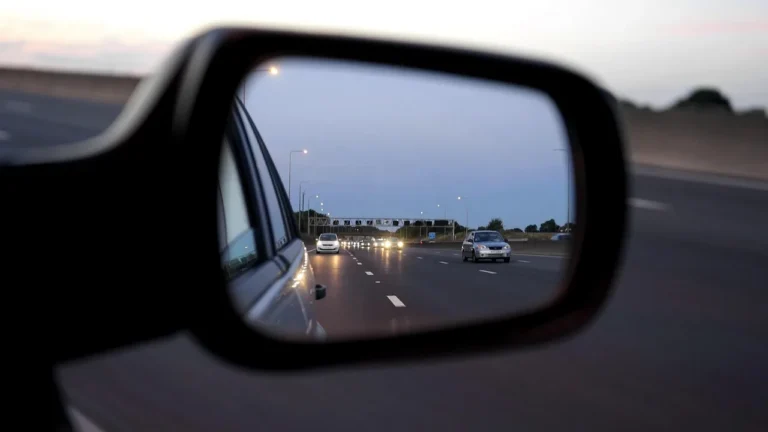
A rearview mirror monitor is a display built into or clipped over the mirror area so the camera image sits near your natural line of sight. It can be a practical layout, but fit, glare, and mirror obstruction matter. The screen still has to work with the camera type and the vehicle’s power and trigger setup.
How the display mounts at the mirror
Most mirror monitors attach over the existing mirror or replace it with a display unit that uses the mirror location. That keeps the screen high, but it also means the original mirror view may be partially or fully covered. The monitor should not block the driver’s road view.
Check the mirror shape, stalk clearance, and whether the housing interferes with a factory auto-dimming mirror, compass module, or other built-in feature.
Screen size and fit choices
Mirror monitors come in different screen sizes, and larger is not always better. A bigger screen can be easier to read, but it may cover more of the mirror surface and create a larger glare target. In a small cabin, even a modest screen can feel intrusive if the mount sits low or wide.
Measure the mirror face, note the clearance to the headliner, and confirm that the screen does not crowd sun visors or overhead controls.
What compatibility means with backup cameras
Compatibility means the monitor can accept the camera’s video signal, match its power needs, and respond to the reverse trigger behavior the system uses. A camera can be mounted correctly and still fail to work with the wrong display format or connection style. That is why “fits the mirror” is not enough.
Some systems are wired and some are wireless, but the display still has to match the camera’s output and installation plan. The monitor also needs a power source that suits the vehicle.
Can a backup camera work without a mirror monitor?
Yes. The camera can send video to a dash screen, a factory screen, or another display, so a mirror monitor is only one option. The camera itself does the rear-facing work; the display choice is separate. If another screen is already in place, the mirror version may add nothing useful.
Dash screen and factory screen alternatives
A backup camera image can appear on a dash-mounted screen or a factory infotainment display. That keeps the mirror clear and may be simpler if the vehicle already has an input for camera video. The display location is the main choice here, not the camera.
For many vehicles, the question is specific: add a new screen, or use the one that already exists? That is where the decision becomes practical, not theoretical.
Why the display location is separate from the camera itself
The backup camera is the rear-facing sensor. The monitor is just the place where the image appears. A camera uses a wide-angle lens to see more than your eyes can, and the image is sent to an LCD monitor that the driver can see. The monitor may sit on the dash, in the mirror, or in a factory screen.
That separation matters because a good camera can still be paired with the wrong display location for your cabin layout.
When a mirror monitor is redundant
A mirror monitor is redundant if your vehicle already gives you a usable camera image in a position you can check quickly and safely. It is also redundant if the rear view is already clear enough and you do not need an extra screen. Adding one more display can be more hassle than benefit.
Picture a compact sedan with a factory infotainment screen and a clean dash. Adding a mirror monitor there would solve no real problem, and it could introduce glare and clutter instead.
Will a mirror monitor block your view?
It can. That is the main tradeoff. A mirror monitor gives you a higher viewing position, but it may reduce or replace the normal rearview mirror image. If the monitor sits too low, is too wide, or creates glare, it can make the rearview mirror line less useful rather than more useful.
Rearview visibility and line-of-sight concerns
The mirror monitor should not block the driver’s road view. That means you need to think about where your eyes naturally rest, how much of the windshield it covers, and whether the screen distracts from the forward scene. Some setups are fine in one vehicle and awkward in another.
Safety and legal concerns can also matter here. Rules vary, but a screen placed in the mirror line of sight should never create an obvious obstruction or force you to look away from the road for too long.
Small cabins, tall drivers, and crowded dashboards
Tall drivers often sit higher and closer to the mirror area, which can make a mirror display feel larger in the field of view. Small cabins can create the same effect because there is less distance between your eyes and the display. A crowded dash can push people toward the mirror option, but that does not guarantee it will fit well.
Say your hatchback has a shallow windshield and several accessories already mounted near the dash. A mirror monitor might solve the clutter problem, but only if the mirror area stays clear and the screen does not interfere with your normal sightline.
Tint, sunshades, and rear glass fit issues
Tinted rear glass, a rear sunshade, or a factory mirror housing can make a mirror monitor awkward. Dark tint can make the rear camera feed more useful, but it also makes the rearview mirror less useful, so the display has to be placed carefully. Sunshades can crowd the area further.
If the rear glass is highly shaped or the mirror is already packed with sensors and electronics, a dash screen may be cleaner and easier to read.
Mirror choice checklist
Use this checklist to decide whether a mirror monitor, dash screen, or no add-on is the best fit. Score each yes answer as shown. Add the points, then compare the total with the range at the bottom. The goal is to match the display to the vehicle, not force the mirror solution.
| Question | Yes points | Why it matters | Result if yes |
|---|---|---|---|
| Is your dash already crowded? | 2 | A mirror screen can avoid another dash mount. | Mirror monitor |
| Would a dash screen block controls or vents? | 2 | Space constraints can favor the mirror area. | Mirror monitor |
| Do you want the image higher in your line of sight? | 1 | That is one of the mirror monitor’s main advantages. | Mirror monitor |
| Does your factory mirror stay usable if covered? | 1 | If not, the mirror display may create a visibility loss. | Dash screen |
| Do you already have a factory camera display? | 2 | Another screen may be unnecessary. | No add-on needed |
| Is your rear glass tinted, shaded, or otherwise awkward for mirror viewing? | 1 | Some cabins make mirror viewing less practical. | Dash screen |
| Can you route power without a messy cord? | 1 | Mirror systems still need a clean power plan. | Mirror monitor |
| Do you need the camera only when backing up? | 1 | That fits the automatic reverse trigger behavior. | Either display |
| Would a mirror screen block your road view? | 3 | View blockage is a deal-breaker. | Dash screen |
| Is rear visibility already clear enough for your needs? | 3 | If yes, you may not need another display. | No add-on needed |
Add the points from the yes answers. Score 0-3: no add-on is usually needed. Score 4-7: a dash screen is usually the safer fit unless the mirror area seems clearly better. Score 8 or more: a mirror monitor is worth a closer look because it may solve a real space or sightline problem.
How the camera and monitor connect
The camera and monitor link through video, power, and a reverse trigger that tells the system when to turn on. A backup camera often mounts near the license plate or rear hatch area, where it can help cover the blind spot behind the vehicle. The monitor may be fed by wire or by wireless signal.
Wired video connection and cable routing
A wired video connection is generally more dependable than wireless. It usually means routing cable through the cabin, under carpet, or along sill trim so the camera feed reaches the display cleanly. That takes more installation work, but it reduces signal stability concerns.
Wired setups are often the better answer when you want steady performance and do not want to chase interference problems later.
Wireless video connection and signal stability
Some backup camera systems are wireless, but they are less reliable. Wireless can reduce the amount of cable routing, which sounds attractive, yet signal stability can suffer from interference or distance issues. That matters more in larger vehicles and in installs with heavy electrical noise.
If you want the fewest wires possible and can accept more risk of image dropouts, wireless may fit. If you want the steadier option, wired is the safer pick.
12-volt power and reverse trigger behavior
The monitor can be powered from a 12 volt utility socket, or it can be hardwired for a more permanent installation. The camera feed usually turns on automatically when the vehicle is shifted into reverse. That automatic behavior is what makes the system feel simple during parking.
Reverse gear trigger behavior is especially useful in older vehicles, because it keeps the display from staying on all the time. The screen activates only when backing up.
Can you add a backup camera to an older car?
Yes. An older car can take a backup camera and an external display even without a factory screen. The most common setup uses a rear-mounted camera, a display on the dash or mirror, and a power path tied to the vehicle’s reverse circuit. The age of the car does not block the install.
Typical license-plate or hatch mounting
The camera often mounts using the existing license plate screws, which keeps the rear install simple on many vehicles. On hatchbacks and SUVs, the camera may sit near the hatch handle or trim area instead. The point is the same: aim the wide-angle lens behind the car to cover the blind spot.
That placement helps with pedestrians, children, pets, and close objects behind the vehicle.
Reverse-trigger setup in older vehicles
Older vehicles often need a straightforward trigger connection so the monitor knows when reverse is engaged. The camera feed then appears only while the vehicle is in reverse, which keeps the display from staying on during normal driving. That automatic behavior is a major part of the system’s usability.
If the car lacks a built-in screen, a mirror monitor or dash screen can provide the display without major changes to the vehicle’s interior layout.
When a simple add-on screen makes sense
A simple add-on screen makes sense when the car has no factory display, the dashboard has room for a small monitor, and the mirror area is a poor fit. That is often the cleanest path in older vehicles because it avoids overworking the mirror mounting area.
Suppose a 2008 sedan has a plain dash, a standard mirror, and no infotainment screen. A small dash display may be easier to place than a mirror unit, even though both can work with the same camera.
Frequently asked questions
Do you need a rearview mirror monitor with a backup camera?
No. You need a mirror monitor only when it solves a space, sightline, or installation problem that another display would create. If your dash screen or factory screen already works well, the mirror version is usually unnecessary. The camera matters more than the display shape.
Is a rearview mirror monitor better than a dash screen?
Not always. A mirror monitor can be better when it keeps the image higher and avoids dash clutter, but it can also block the mirror view or create fit issues. A dash screen is often better when the dash has room and you want to keep the mirror clear.
Will a mirror monitor block your view while driving?
It can if the unit is too large, mounted poorly, or placed where it covers too much of the mirror area. The monitor should not block the driver’s road view. Check mirror shape, cabin size, and glare before buying, especially in vehicles with crowded front cabins.
Does a backup camera only work in reverse?
Most systems are set up that way. The reverse gear trigger activates the monitor only when the vehicle is shifted into reverse, so the image appears automatically during backing maneuvers. Some systems can be wired differently, but reverse-only behavior is the common setup for parking use.
Are wireless backup camera monitors reliable?
They can work well, but wireless systems are less reliable than wired ones. Signal stability can be affected by distance and interference, which is why wired setups are generally preferred when you want the most dependable image. Wireless is often chosen for easier cable routing, not for top reliability.
Where does the backup camera display usually mount?
The display can mount on the dash, on or over the rearview mirror, or in a factory screen if the vehicle has one. The right location depends on visibility, clutter, and how much room the cabin gives you. The monitor should stay easy to glance at without blocking the road view.