Steering Wheel Controls for Car Stereos Explained
Steering wheel controls may reach a car stereo through resistive signals, direct digital signals, or vehicle-network messages. To keep them with an aftermarket radio, you must match the adapter to both the car’s signal type and the radio brand. Buy the wrong interface and you can lose button functions, get erratic commands, or find out mid-install that you need extra parts. This guide breaks down the three systems, shows you how to identify which one your vehicle uses, and explains how to pick the right adapter for aftermarket and Android head units.
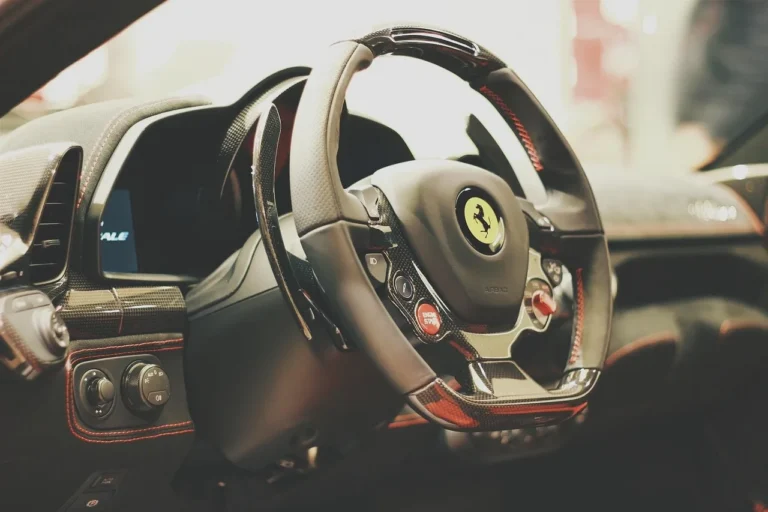
In car-audio terms, steering wheel controls are the factory buttons that send commands such as volume, seek, track, source, mode, phone, or voice to the radio. The radio never sees a button label. It sees an electrical value or a data message, and that signal has to match the radio’s own remote-control method.
That difference matters the moment the factory head unit comes out. A replacement DVD, MP3, or CD receiver may still accept remote commands, but often in a different format. The steering wheel control interface sits between the factory controls and the aftermarket head unit, translating the car’s signal path into the radio’s expected remote protocol. In many applications, that same interface also lets you keep factory steering wheel and rear seat radio controls after replacing the head unit. On some vehicles, data-retention interfaces also preserve non-audio factory button functions tied to the original radio or climate display, but support is application-specific and should be verified in the maker’s fitment guide rather than assumed.
This article follows common aftermarket integration practice and published fitment guidance from major interface makers and radio manuals, including Axxess/Metra, PAC, iDatalink, and head-unit manufacturers such as JVC and Sony. For network references, CAN behavior is standardized at the vehicle-bus level under ISO 11898, but whether a given button can be retained still depends on the interface manufacturer’s vehicle chart and the radio maker’s remote-input documentation.
What steering wheel controls actually
Factory buttons send commands, not names
When you press volume up on the wheel, the vehicle does not transmit the words “volume up.” It changes a resistance value, closes a digital switch pattern, or puts a message on a vehicle data bus. The factory radio knows how to read that signal because it was designed for that vehicle.
Replacing the radio changes the command language
An aftermarket radio may expect a simple analog input, a branded wired-remote protocol, or no steering-wheel input at all. That is why “SWC compatible” is too vague to trust on its own. What matters is whether the car’s output type and the radio’s input type can be matched directly or through a translator module.
Common functions can survive, but not always all of them
Volume up/down, track forward/back, seek, and source often survive first because many interface makers map those core radio commands before anything else. Phone, voice, mute, rear-seat control functions, and long-press actions are more likely to disappear if the interface does not support them or the radio has no matching command input. PAC, Axxess, and iDatalink application notes all treat retained functions as vehicle-and-radio dependent, not universal, so always check the exact chart.
Identifying Wired vs. Module Steering Wheel Control Systems
When swapping a factory radio for an aftermarket unit, the biggest surprise is often the loss of steering wheel controls. The guide “What are steering wheel controls on a car stereo?” walks you through the two basic architectures—simple resistive wiring and data‑module systems—showing how each sends volume, track and source commands from the wheel to the head unit. It provides a decision table to identify your car’s setup, explains when an adapter is required, and offers a checklist for preserving or adding controls during an upgrade. Understanding these details prevents costly mistakes and keeps your driving experience seamless.
How do steering wheel controls work with a car radio?
Steering wheel controls work by sending the radio one of three signal families: an analog resistance value, a direct digital or wired-remote command path, or a message on the vehicle network. The factory radio reads that signal natively; an aftermarket radio usually needs either the same input style or an interface that translates it.
Resistance-based controls
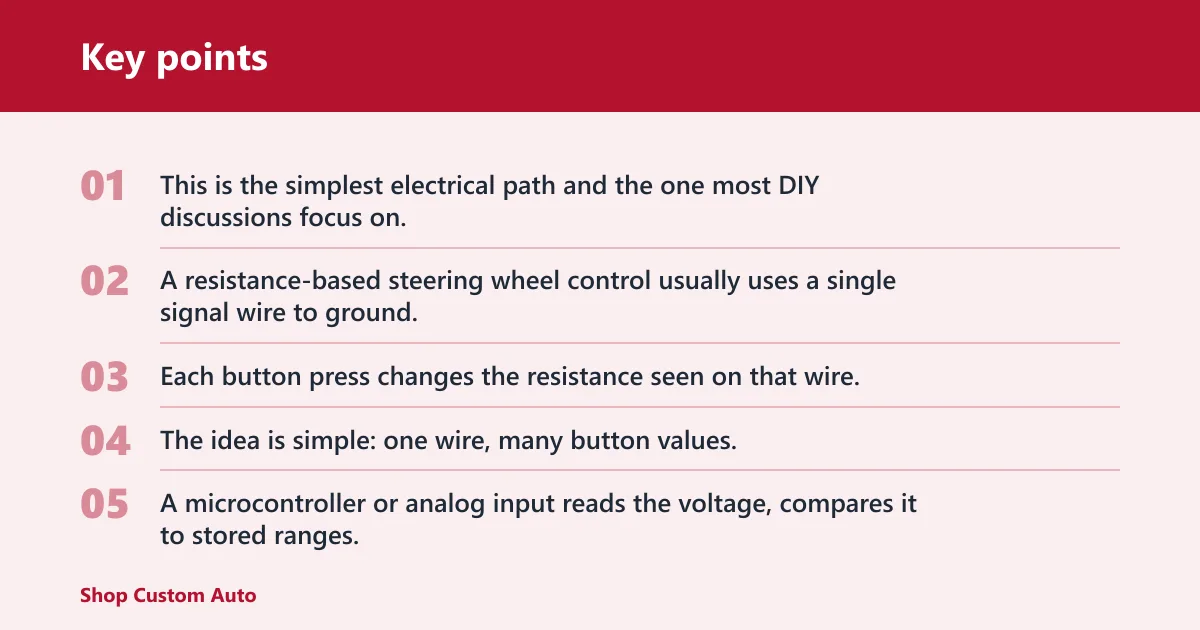
This is the simplest electrical path and the one most DIY discussions focus on. A resistance-based steering wheel control usually uses a single signal wire to ground. Each button press changes the resistance seen on that wire, which changes the voltage at the radio or interface input.
The idea is simple: one wire, many button values. A microcontroller or analog input reads the voltage, compares it to stored ranges, and decides whether you pressed volume up, track down, source, or another function. That analog-learning behavior is also how many aftermarket interfaces and KEY1/KEY2 inputs are documented to operate.
A hobby microcontroller build can demonstrate the principle clearly: the buttons behave like different resistance values on one line to ground, and the controller identifies them by voltage range. That kind of DIY example is useful for understanding the electrical side, but it is not proof that a given aftermarket radio can accept the signal directly. The radio side still has to support the same analog method or be translated by an interface.
Direct digital and wired-remote control paths
Some radios do not want a variable resistance at all. They expect button closures in a specific pattern, serial-style commands, or a brand-specific wired remote input sometimes called stalk control. In those systems, the interface has to emulate the radio’s remote path rather than output a plain resistor value.
JVC is a good example of why installer documentation matters. JVC manuals for steering-remote-capable models specify a dedicated remote input and approved adapter use rather than direct compatibility with every analog steering wheel circuit. In practice, some JVC-compatible interfaces work through the proper patch lead and programming mode, while unsupported or improperly programmed setups may give partial function loss. Because JVC support varies by model family and adapter guide, it is safer to verify the exact radio model in the interface chart than to assume all JVC radios behave the same way.
Vehicle-network systems
On many newer vehicles, the steering wheel buttons do not run to the radio as a dedicated analog wire. They are read by another module and sent across the vehicle network, often CAN. In that case, the aftermarket interface must read network messages first, then convert them into the remote protocol the new radio understands.
This is where a CAN-based steering wheel control adapter comes in. It is not a passive harness. It decodes bus traffic, identifies button messages, and outputs commands for the head unit. Without that translation step, there may be no usable steering-wheel button wire at the radio cavity at all. That basic architecture is consistent with vehicle integration products from PAC RadioPRO, Axxess AX series, and iDatalink Maestro retention modules.
Do you need a steering wheel control interface for a new radio?

You need a steering wheel control interface whenever the car’s button signal type does not match the new radio’s remote input directly, which covers most radio replacements. Direct connection usually works only with compatible resistive systems. Network-based vehicles and many digital wired-remote radios need an interface to translate commands correctly.
When direct connection can work
If the vehicle uses a simple resistive single-wire circuit and the radio has a true analog steering-wheel input that can learn resistance values, you may be able to wire the circuit directly. This is most common with some Android head units using KEY1 or KEY2 inputs, and with a limited number of conventional aftermarket radios.
Even then, direct wiring works only if the resistance ranges are readable, the ground reference is correct, and the radio’s learning function can assign every button you want. Direct wiring does not convert a digital car signal into an analog one. Before attempting it, check the radio manual for terms such as “steering wheel control learning,” “KEY1,” “KEY2,” “SWC,” or “wired remote input,” because those are not interchangeable.
When an interface is mandatory
A vehicle-specific or universal interface is mandatory when the car uses CAN or another network path, when the radio expects a brand-specific wired remote protocol, or when the vehicle has split functions such as rear-seat audio controls. The interface sits between the car and the head unit and translates commands instead of simply passing them through.
Say your SUV keeps volume and track on the wheel, but the rear-seat audio buttons also feed the factory radio. If the replacement radio loses those rear controls without a translator, a basic harness will not fix it. The right interface can retain both steering wheel and rear seat radio controls where supported. That “where supported” caveat is important because retention of secondary controls is usually listed by vehicle in the interface maker’s application guide.
Universal, brand-specific, and vehicle-specific modules
Universal interfaces fit situations where the vehicle signal can be read broadly and the output side can be programmed for a radio brand. Vehicle-specific interfaces fit cases where the car’s wiring, data bus, model year, or trim package changes the signal path. Brand-specific modules and leads are used when the radio’s remote input needs a particular plug, wire order, or protocol.
Price alone does not tell you which category you need, but it does hint at complexity. A common universal option is the Axxess ASWC-1, while vehicle-data retention solutions include examples such as PAC RadioPRO modules or iDatalink Maestro interfaces paired with vehicle-specific harnesses. The real decision still comes from fitment charts and radio-protocol support, not shelf price.
How steering wheel control adapters work
Reading the vehicle side
On the vehicle side, the module either reads analog button voltages, watches for direct digital button states, or decodes network messages from CAN or another factory bus. That first step is why model-year fitment matters. A 1-year change from resistive to CAN can move you from a simple universal interface to a vehicle-specific decoder.
Translating to the radio side
On the radio side, the module outputs whatever the aftermarket head unit expects: an analog resistance ladder, pulse commands, a branded wired-remote signal, or another supported protocol. Matching this output to the radio brand is where many failed installs start. Sony, JVC, Alpine, Kenwood, Pioneer, and some Eclipse models are common examples of radios that need a specific connection guide and, in some cases, a specific patch lead or brand selection.
If you are comparing brands, a descriptive fitment guide is more useful than a generic “works with most radios” claim. For that reason, it helps to cross-check the radio’s manual with a dedicated compatibility resource such as a steering wheel controls overview and any vehicle-specific fitment chart or CAN-adapter instructions you are already using for the install.
Programming and assignment
Some interfaces auto-detect the vehicle and the radio brand. Others need dip-switch settings, software selection, or manual button assignment. If volume works but seek does not, the problem may be in the assignment table rather than the wiring.
Suppose the interface is programmed for Sony, but the radio is a JVC model that expects a different remote path. The module may still react to button presses, yet only some commands will translate. That is a protocol mismatch, not a dead steering wheel circuit. Adapter makers such as PAC and Axxess publish brand-selection instructions for exactly this reason.
Can you keep factory controls with any aftermarket radio?
No. You can keep factory controls only when the vehicle’s steering wheel signal can be translated into a remote protocol the aftermarket radio actually supports. Some radios lack a usable remote input, some need brand-specific leads, and some models are explicitly unsupported even within otherwise supported brands.
Remote-input types on aftermarket head units
Aftermarket radios commonly fall into three groups: analog steering-wheel input radios, wired-remote protocol radios, and radios with no usable steering-wheel remote input. A faceplate menu that mentions key learning is not the same thing as true compatibility with every vehicle signal type.
Brand and protocol matching
Brand compatibility matters because “remote input” is not one universal standard. Sony may accept one kind of wired remote signal, JVC another, and older Eclipse models may require their own supported interface path. Some interfaces support several brands by changing a jumper, plug, or software mode. Others are sold as brand-specific versions because the output protocol is fixed.
Why volume can fail when other buttons work
Volume is often where protocol differences show up first. If a radio or interface mapping handles only the basic command set, volume, phone, or voice can fail even when track and source work. On JVC in particular, installers should follow the radio manual and the interface maker’s JVC-specific instructions instead of assuming that any generic analog output will behave correctly.
Unsupported and partial-support cases
Support can be partial. An interface may keep volume, track, and source, but lose phone, voice, mode, or long-press commands. Some radios in a supported brand family are still excluded by the connection guide. Check the chart for the radio series, not just the logo on the box.
How do you connect steering wheel controls to an Android head unit?
Android head units often connect steering wheel controls through analog learning inputs such as KEY1 and KEY2 or through a separate CAN decoder box. The right method depends on whether the car outputs resistive signals or network messages. Assuming every Android unit can learn every factory signal is a common and expensive mistake.
KEY1 and KEY2 analog inputs
KEY1 and KEY2 are usually analog learning inputs. They work best with resistance-based steering wheel controls where button presses create distinct voltage values against ground. In that setup, the Android unit enters learning mode, sees each voltage change, and assigns a function.
If the car has a single-wire resistive circuit, KEY1 plus ground may be enough. If the system uses dual-path analog inputs, KEY1 and KEY2 may both be used. The exact pinout varies by radio manufacturer, which is why the radio’s own wiring guide still matters. Some Android units also label these wires SW1 and SW2 instead of KEY1 and KEY2.
When an Android unit still needs a CAN decoder
If the vehicle sends steering wheel button commands over CAN, the Android screen cannot read those messages through KEY1 alone. It needs a CAN decoder box or a separate steering wheel control interface that converts the network commands into analog or supported digital commands for the head unit.
Picture an Android radio with KEY1 and KEY2 connected in a newer CAN-based sedan. The learning screen opens, but no button ever registers. Nothing is wrong with the touch screen. The radio is waiting for analog voltages, while the car is sending network data the head unit cannot see without a decoder. This is consistent with how Android integration harness kits are typically sold: the head unit plus a vehicle-specific CAN box or protocol decoder.
Common Android limits
Some Android units learn only basic short presses. Others do not support long-press commands, phone-answer functions, or separate front and rear audio command paths. Cheap generic units also vary in how well they filter noisy analog signals, which can cause double-press behavior on marginal resistive circuits. Because Android head units are built by many unrelated manufacturers, treat “supports steering wheel controls” as a starting claim and verify the exact wiring method, decoder requirement, and learning menu in the unit’s manual.
Control compatibility decision table
| Vehicle control type | Radio brand or remote protocol | Likely adapter category | Typical connection path | No volume control | No seek/track | No button response |
|---|---|---|---|---|---|---|
| Single-wire resistive to ground | Android KEY1/KEY2 analog learning | Direct connection or universal analog interface | SWC wire to KEY1, shared ground, learn buttons in radio menu | Wrong voltage range, missing ground, learning failed | Button not assigned, overlapping resistance values | Wrong wire identified, radio lacks true analog learn input |
| Single-wire resistive to ground | Sony wired remote protocol | Universal interface with Sony output lead | Vehicle SWC into interface, interface output to Sony remote input | Wrong brand mode or wrong output lead | Interface programmed only for basic commands | Interface not powered, unsupported Sony model |
| Single-wire resistive to ground | Eclipse remote protocol | Brand-specific or universal interface if listed | Analog read on vehicle side, Eclipse protocol on radio side | Protocol mismatch, unsupported radio series | Missing command mapping in interface guide | Eclipse model excluded from connection guide |
| Resistive vehicle controls | JVC wired remote or stalk control | Brand-specific interface or translator with JVC support | Interface reads resistive input and outputs the JVC-supported remote command path | Wrong JVC patch lead, wrong radio mode, or unsupported model | Wrong JVC mode or incomplete button mapping | Direct analog wiring used where a programmed JVC interface is required |
| Direct digital factory control path | Sony, Eclipse, or JVC branded remote input | Vehicle-specific interface or dedicated translator | Digital decode on vehicle side, brand-matched output on radio side | Wrong brand selection, digital output type mismatch | Partial support for command set | Assumed resistive wiring when vehicle is digital |
| CAN or other vehicle-network messages | Android KEY1/KEY2 analog learning | CAN-based steering wheel control adapter or CAN decoder box | CAN decoder translates network messages to analog key output | Decoder not configured for trim or year | Decoder supports only basic commands | No CAN decoder installed, wrong canbus profile |
| CAN or other vehicle-network messages | Sony, Eclipse, or JVC wired remote input | Vehicle-specific CAN interface with brand-specific output | CAN read by interface, translated to brand protocol | Wrong radio patch lead, lost programming after power reset | Radio supports fewer commands than factory wheel offers | Vehicle year not supported in compatibility chart |
How to choose the right adapter before you buy
Choose the adapter by identifying the vehicle’s steering wheel signal family first, then confirming the radio’s remote input type, then checking supported years and trims on the compatibility chart. Buying by radio brand alone misses the car side of the equation, and that is where most dead-button installs start.
Decision path
- Identify whether the vehicle uses resistive, direct digital, or CAN/network-based steering wheel controls.
- Check the new radio for a true analog SWC input, a branded wired-remote input, or no steering-wheel input at all.
- Read the vehicle compatibility chart for supported and unsupported model years, trims, and audio packages.
- Match the interface category: direct analog connection, universal translator, brand-specific module, or vehicle-specific CAN interface.
- Check the connection guide for the exact radio brand and, if listed, the radio series or model exclusions.
- Confirm whether extra functions matter, including rear-seat controls, phone buttons, voice commands, and long-press actions.
Why compatibility charts matter
A vehicle compatibility chart is doing more than checking dashboard size. It tells you whether the wheel buttons are resistive or bus-based in that year, whether a factory amplifier or trim package changes the wiring, and whether the interface supports all or only part of the command set.
That is also why supported and unsupported models must be checked before purchase. Two trims in the same model year can use different radio data paths. For a cleaner planning workflow, pair the chart with the radio’s own manual and any related fitment resources you already use for steering wheel control upgrades, radio-brand harness notes, and CAN-adapter instructions.
Concrete fitment examples
Here are practical buying scenarios that are more reliable than generic “universal” claims:
- Older resistive vehicle + Android screen with KEY1/KEY2: often a direct wire or a universal analog interface works if the radio truly supports analog learning.
- Newer CAN-based truck + Sony/JVC/Kenwood single-DIN or double-DIN: typically needs a vehicle-specific data interface plus the correct brand patch lead or programmed output.
- Factory amplified system with retained warning chimes or secondary display: may require a data-retention interface, not just a stand-alone SWC adapter.
- Radio with no listed remote-input support: no steering wheel adapter will add functions the radio cannot accept.
Common part families installers check first include Axxess ASWC-1 for many universal applications, PAC SWI-series interfaces for brand-specific radio control integration, and iDatalink Maestro-compatible retention setups where a supported radio and vehicle are both listed. Exact part selection still depends on year, trim, and radio model.
Why are the controls not working after radio replacement?
After radio replacement, steering wheel controls usually fail because of one of seven causes: wrong signal wire, missing ground reference, wrong radio protocol lead, lost programming, unassigned buttons, CAN decoder mismatch, or outright unsupported equipment. The symptom pattern matters. No response, no volume, and no seek usually point to different faults.
No button response at all
Start with basics. Confirm the interface has power and ground, the steering wheel control wire from the vehicle is the correct one, and the module is programmed for the actual radio brand. On CAN systems, verify the decoder profile matches the vehicle year and trim.
A common first-timer mistake is finding a wire labeled for steering controls in a generic harness note, then connecting it in a trim level that actually uses CAN. The interface never sees any button voltage, and the radio learns nothing because there is no analog signal there to learn.
Volume works, but seek does not
This usually points to mapping or protocol translation, not a dead vehicle circuit. The interface may be in the wrong brand mode, the radio may support only a limited command set, or the unassigned function may need manual programming in the radio or interface menu.
Worked before a battery disconnect
Some interfaces lose programming after a reset, while others need to re-detect the vehicle and radio after power is restored. If the controls stopped after a battery disconnect or radio firmware reset, rerun the interface programming steps before chasing wiring faults.
When the setup is simply unsupported
If the vehicle-year chart excludes the trim, or the radio model is missing from the connection guide, no amount of rewiring will create support. This is common in edge cases with newer networked vehicles, obscure radio protocols, and Android units that advertise key learning without a proper decoder path.
Basic install checks that solve many failures
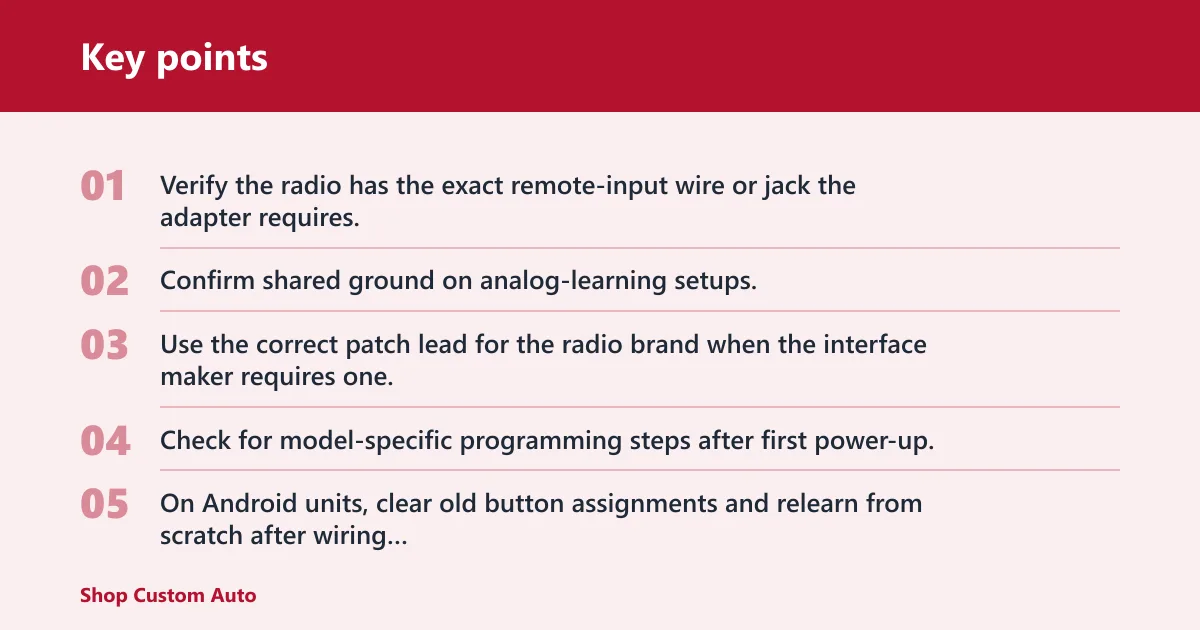
- Verify the radio has the exact remote-input wire or jack the adapter requires.
- Confirm shared ground on analog-learning setups; floating ground causes missed or random button values.
- Use the correct patch lead for the radio brand when the interface maker requires one.
- Check for model-specific programming steps after first power-up.
- On Android units, clear old button assignments and relearn from scratch after wiring changes.
Can steering wheel controls be hacked directly to a head unit?
They can be hacked directly only when the vehicle’s output and the radio’s input are electrically compatible or can be translated with a microcontroller. Resistive systems are the easiest candidates. Direct digital remote paths and CAN-based vehicles usually need a purpose-built interface because the radio expects coded commands, not raw button wiring.
Where direct hacks make sense
Resistive single-wire systems are the most hackable because the signal is visible as changing voltage against ground. That is why they are common in DIY integrations. A microcontroller can read the analog value and output a matching command if the target radio input is understood.
What the DIY example really shows
The hobby microcontroller example mentioned earlier is useful because it proves the factory wheel itself may be simple even when the radio side is not. Reading one wire to ground and matching several buttons is feasible. Translating those button presses into a radio command can still be difficult if the radio expects a digital remote pattern.
Why digital and CAN systems are different
Once the vehicle uses network messages or the radio uses a brand-specific digital remote path, a direct wire hack becomes a decoding and protocol-emulation project. That is far beyond joining two wires. In practical installer terms, this is why vehicle-specific CAN interfaces exist and why the radio maker’s remote-input instructions matter.
Outside mainstream car audio, steering-wheel button functions can control far more than audio. Porsche’s GT3 RS, for example, uses steering-wheel-mounted switches for vehicle setup changes and other functions. That does not affect stereo retention directly, but it shows how modern steering-wheel controls increasingly live inside wider digital vehicle systems rather than simple button wires.
Frequently asked questions
Can you keep steering wheel controls with an aftermarket radio?
Usually, yes, but only when both sides are supported. The vehicle’s control type, the radio brand, the remote-input style, and the model-year fitment all have to line up. Some setups keep volume and track only, while others also retain phone, rear-seat, or extra factory button functions.
Why are my steering wheel controls not working after radio replacement?
The likely causes are wrong wire identification, missing ground, incorrect radio-brand programming, a bad or mismatched CAN decoder, lost interface memory after power reset, or unsupported equipment. The symptom helps narrow it down: no response, no volume, and no seek each point to different failure paths.
What cars and radios are compatible with steering wheel control interfaces?
Only the vehicles and radios listed in the interface maker’s compatibility chart and connection guide should be treated as supported. Check year, trim, factory audio package, steering-wheel wire type, and radio brand or series. A matching brand name alone does not prove the exact model will work.
Can I wire steering wheel controls straight to the radio without an adapter?
Sometimes, but only on compatible resistive systems and only if the radio has a real analog learning input. You generally cannot wire a CAN-based vehicle directly to KEY1, KEY2, or a brand-specific remote jack without a decoder or translator.
What do KEY1 and KEY2 mean on Android radios?
They are usually analog steering-wheel-control learning inputs. They are not CAN inputs. If your vehicle’s buttons are sent over the data network, KEY1 and KEY2 need a decoder in front of them.
Why do only some buttons work after installation?
Partial function usually means incomplete mapping, wrong radio-brand mode, or a radio that supports fewer commands than the factory wheel provides. Relearn the buttons if the radio supports it, then check the adapter guide for unsupported functions.
Will a CAN adapter also retain other factory features?
Sometimes. Some vehicle-data interfaces also retain warning chimes, accessory power logic, backup-camera triggers, factory amp turn-on, or secondary display functions. Those features are specific to the interface and vehicle, so check the fitment chart rather than assuming they are included.
Are JVC, Sony, and Eclipse all handled the same way?
No. Each brand can use a different remote-input method, patch lead, or programming mode. Always confirm the exact radio model in the adapter maker’s guide, especially with older Eclipse units and JVC models that require brand-specific instructions.
What is the safest way to buy the right adapter?
Identify the vehicle signal type first, confirm the radio’s remote-input type second, and then buy only from a compatibility chart that lists your exact year, trim, and radio family. That three-step check prevents most bad purchases.