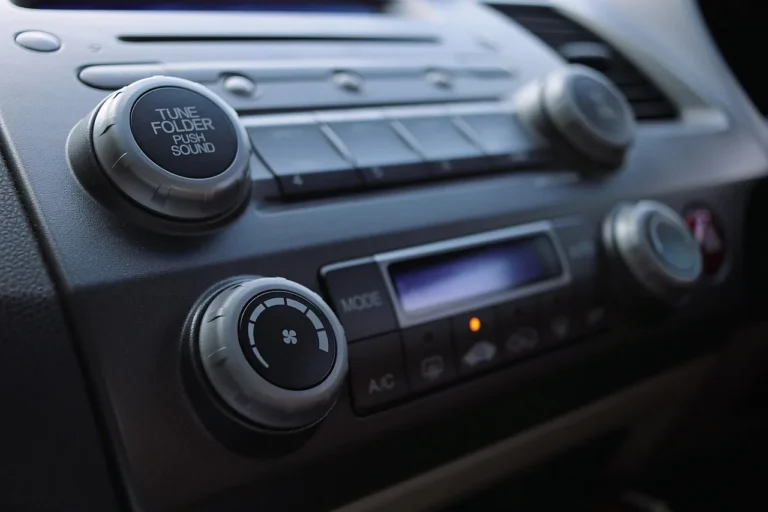
Do You Need a Steering Wheel Control Interface for a New Radio?
Yes. If your vehicle sends steering wheel button signals through a data bus and the new radio has a steering wheel input, you need an interface to translate those signals. If the radio has no such input, the buttons will not work. Without the right match, you can lose volume, track, and voice-control buttons, or trigger warning lights and dead controls. This guide shows the simple yes/no check for wired, resistive, and data-bus systems, plus when adapters are optional or unnecessary.
How signal type drives the need for an interface
Steering wheel controls let you change volume, skip tracks, change source, or trigger voice functions without reaching for the radio. After a radio swap, those buttons only keep working if the aftermarket unit can read the car’s signal type, and that is where the decision starts. Manufacturer manuals for aftermarket radios commonly show dedicated SWC input wires or menu-based learning functions, and install guides from interface makers explain that the signal must match the head unit’s control method, not just the plug shape.
Many factory buttons do not send the same kind of signal that a factory radio expects. Some cars use simple resistance changes on a wire. Others use digital messages over a CAN bus or another data network. Many aftermarket radios cannot read those factory signals on their own. PAC and Axxess interface guides, as well as head-unit manuals from brands like Alpine and Kenwood, consistently separate analog SWC inputs from vehicle network data that must be decoded first.
That is why the answer depends on the vehicle make, model, year, and the head unit brand. There is no single wiring answer. A car can need a simple direct wire connection, a steering wheel control interface, or a larger digital adapter that also keeps other vehicle functions alive. For a broader overview of the parts involved, see steering wheel control interface guidance and steering wheel control behavior in aftermarket installs.
Do you need an interface?

A steering wheel control interface is commonly needed when the car’s button signal cannot connect directly to the radio’s SWC input, or when the vehicle sends digital data that the radio cannot decode by itself. If the radio supports direct learning and the car uses an analog resistive system, an interface may be optional.
Do you need an interface? step-by-step yes/no flow
- Does the new radio have SWC learning input?
- Yes: Look for labels such as KEY1, KEY2, SWC, remote, or control input in the radio manual. If the unit supports learning, continue to step 2.
- No: Direct steering wheel button learning will not work. You will need a compatible interface or the buttons will stay inactive.
- Does the vehicle use analog resistive SWC?
- Yes: A direct connection may be enough if the radio accepts the same type of input and the manual allows learning or preset mapping.
- No: If the vehicle uses digital data, move to step 3.
- Does the vehicle use CAN bus or another data network?
- Yes: You usually need a vehicle-specific CAN interface or SWC decoder, even if the radio has SWC wires.
- No: Re-check whether the car uses a simple resistive output or a direct hardwired steering wheel control line.
| Branch | Compatibility yes/no flow | Typical parts needed | Common mistake |
|---|---|---|---|
| Direct-learning radio | Does the radio have KEY1, KEY2, SWC, remote, or control input wires, plus a learning menu? If yes, and the car is analog resistive, direct wiring may be enough. If no, stop here. | Aftermarket radio, vehicle-specific wiring adapter, SWC patch lead or direct wires, and the radio’s learning setup. | Buying a full interface when the radio already supports direct learning, or assuming every radio has SWC input. |
| Analog resistive SWC | Does the car use resistance-based buttons and does the radio accept analog SWC input? If yes, a simple connection may work. If the radio lacks input wires, an interface is required. | Vehicle-specific wiring adapter, SWC breakout, and sometimes a patch lead or adapter if the radio needs one. | Using the main power/speaker wiring alone and expecting it to carry button signals. |
| CAN-bus/digital SWC | Does the vehicle send steering wheel commands through CAN bus or another data network? If so, a CAN interface is usually required, even if the radio has SWC wires. | Vehicle-specific CAN interface, correct radio-brand patch lead if needed, and the proper wiring adapter for the vehicle year range. | Choosing a generic wiring adapter and expecting it to decode data signals or retain accessory functions. |
Say your 2018 Mazda uses button data over the factory network and the new radio has KEY1 and KEY2 wires. That does not mean direct wiring is enough. The buttons still need a vehicle-side decoder to turn network messages into radio commands. PAC and Axxess installation guides describe this same distinction: a radio input can accept learned commands, but a data-bus car still needs a module to translate the vehicle signal first.
A common first-timer mistake is buying the dash wiring adapter first, then discovering the radio has no SWC input or the vehicle needs a CAN module. Compare both manuals before you order. The radio manual tells you what input it accepts. The vehicle adapter manual tells you what signal it can translate. Alpine and Kenwood manuals commonly specify the input type and learning procedure, while interface guides from PAC and Axxess identify the vehicle-side protocol and patch-lead requirements.
Can a new radio read the buttons directly?
Sometimes, yes. A new radio can read steering wheel buttons directly when it has SWC input wires and a learning menu, and the car uses an analog resistive system or a simple direct-output wiring adapter. If the radio has no compatible input, direct reading is not possible. For example, many aftermarket units call out KEY1/KEY2 or SWC learning in their install manuals, while others require a brand-specific wired remote input or a separate interface.
Look for the right input labels
On the radio side, the relevant wires or menus may be labeled KEY1, KEY2, SWC, remote, or control input. Some units use only one input wire. Others use two. The manual matters here, because the same label can mean different pin locations across brands. Manufacturer documentation from Alpine, Kenwood, Sony, and Pioneer-style installs often distinguishes between a direct analog input and a dedicated patch-lead connection.
Head unit SWC learning function means the radio lets you assign buttons manually after wiring. That setup can work only if the radio supports analog steering wheel input. After installation, the installer usually enters the learning menu, presses each button, and maps it one by one. This is the same basic process described in many major install guides and head-unit manuals: the radio does not “guess” the button, it learns a supported signal.
When direct wiring is enough
Direct wiring is enough when three things line up: the vehicle provides analog resistive SWC output, the radio has SWC input, and the radio’s menu supports learning or preset assignment. In that case, you may only need the correct wiring connection and the radio-side setup.
Picture a compact car with two factory steering wheel buttons on a resistive line and an aftermarket double-DIN radio with KEY1 and KEY2. If the manual says “steering wheel learning,” the buttons may work without a separate module. If the radio manual does not mention SWC input, they will not.
When your car needs a CAN-bus interface

Your car needs a CAN-bus interface when steering wheel commands travel as digital data instead of a simple resistance change. This is common on late-model European and Asian vehicles. In those cars, a wiring adapter alone does not decode the button signals, so the radio never sees usable commands. CAN bus documentation from major interface makers and factory service information generally treats steering wheel commands as one message on the network, not a stand-alone analog circuit.
Why a wiring adapter is not enough
A vehicle-specific wiring adapter connects the factory plug to the aftermarket radio. It handles fitment, power, speaker leads, and sometimes antenna or accessory connections. It does not automatically translate digital steering wheel commands unless the adapter includes a CAN module or breakout designed for that vehicle.
CAN bus interfaces can also retain other functions. Depending on the vehicle and interface, they may keep ignition switching, illumination dimming, warning chimes, or retained accessory power behavior. That is separate from steering wheel control retention, and both must be checked. Some factory systems also route RAP and chime behavior through the same module path, so losing the interface can mean more than losing button control.
What digital systems usually need
- The correct vehicle-year interface for the exact platform range.
- A compatible radio-brand patch lead if the interface needs one.
- The proper wiring adapter for power, speaker, and accessory connections.
- Programming steps or DIP switch setup, if the module requires it.
Common failure cases include partial button support, where volume works but mode or voice does not; wrong preset mapping, where “next track” becomes source change; and missed retained functions, where the radio works but chimes or ignition behavior disappear.
What parts do you need for installation?
The parts list depends on the signal path. You may need only a vehicle-specific wiring adapter and direct SWC wires, or you may need a full steering wheel control interface plus a patch lead. The key is to separate signal translation from plug fitment.
Vehicle-specific wiring adapter
A vehicle-specific wiring adapter adapts the factory plug to the aftermarket radio. It is chosen by make, model, and year range. It often sits apart from the main radio wiring and may include a steering wheel control breakout, but that breakout is not always a decoder.
Steering wheel control module
A steering wheel control interface is the adapter that translates car-specific button signals into aftermarket radio commands. It may support resistive, data-bus, or CAN-based control systems, depending on the vehicle and module design. It is the part that makes the factory buttons understandable to the new radio.
Radio-side SWC input or patch lead
The radio must still accept the translated signal. Some radios have direct SWC wires. Others need a brand-specific patch lead or adapter cable. If the head unit has no SWC input at all, the buttons cannot be used, even if the vehicle side is fully wired. Many manufacturers require their own patch leads or remote-input accessories for specific radios, so matching the radio brand matters as much as matching the vehicle.
What if the buttons stop working or map wrong?
Dead or mis-mapped buttons usually point to a signal mismatch, not a bad dash fitment. Check whether the radio supports SWC input, whether the vehicle uses resistive or digital control, and whether the interface was programmed for the correct radio brand. Do that before replacing parts.
No response
If there is no response at all, the most common causes are missing SWC input on the radio, the wrong wiring adapter, or a digital vehicle without a CAN decoder. Confirm the wiring labels first. If the radio has no KEY1, KEY2, SWC, remote, or control input, direct learning is off the table.
Partial response
If only some buttons work, the module may be matched to the wrong radio protocol, or the radio may accept only part of the mapped signal set. Some buttons may also be unsupported by the vehicle or module. Volume working does not prove the rest of the system is correct.
Wrong button mapping
If “track up” changes source or voice becomes mute, the buttons were likely learned in the wrong order or the module profile does not match the radio brand. Re-enter the learning menu, clear the old mapping, and start again with the manual open. Do not assume the wiring is wrong first.
Frequently asked questions
Do I need a steering wheel control interface for an aftermarket radio?
Not always. If your vehicle uses analog resistive buttons and your new radio has SWC input wires with a learning menu, you may only need the right wiring adapter and direct wiring. If the car uses CAN bus or the radio has no SWC input, an interface is usually required.
Will my steering wheel controls work with any new radio?
No. Many aftermarket radios do not natively understand factory steering wheel signals. Compatibility depends on the radio’s SWC input method and the car’s signal type. Check the radio and vehicle manuals by make, model, and year before you buy parts, or the buttons may stay dead.
How do I know if my car needs an adapter for steering wheel controls?
Check whether the factory buttons are analog resistive or digital data-bus based. If the radio manual lists KEY1, KEY2, SWC, remote, or control input and your car is resistive, a direct connection may work. If the vehicle uses CAN bus, look for a platform-specific interface.
Can I keep steering wheel controls without an interface?
Yes, sometimes. Direct learning can work when the radio accepts analog SWC input and the car uses resistance-based buttons. That option does not apply to every vehicle or every radio. If the signals are digital or the head unit lacks SWC input, you need an interface or the buttons will not function.
What happens if I install a radio without the right steering wheel adapter?
The most common result is that the buttons do nothing. In some vehicles, other retained functions can also fail, including ignition control, illumination dimming, or warning chimes. A wrong adapter can also give partial or incorrect button mapping, which makes the controls frustrating to use.
Do Android head units need a steering wheel control interface?
Sometimes yes, sometimes no. Many Android head units include learning wires or a steering wheel setup menu, so a resistive system may connect directly. If the vehicle sends CAN-bus data, or if the Android unit lacks the right input method, you still need a compatible interface. Even Android units with KEY1 and KEY2 often still require a CAN decoder on digital vehicles because the head unit can learn only what the adapter translates.
What is the difference between a steering wheel control interface and a radio wiring adapter?
The wiring adapter handles physical fitment and basic connections between the factory plug and the aftermarket radio. The steering wheel control interface translates button signals the radio can understand. A wiring adapter may include a steering wheel breakout, but that is not the same thing as a decoder module.
Can I add steering wheel controls to a car that never had them?
Not with an interface alone. An adapter can only translate signals from existing buttons. If the car never had factory steering wheel controls, you would need a hardware retrofit such as a different wheel, button assembly, or another control solution. The radio interface does not create buttons that are not there.
Exceptions to watch
Some installs need more than SWC translation. Vehicles with retained accessory power or warning chimes may need a module that preserves those features, not just one that reads the buttons. Some radios also require brand-specific patch leads, especially when the head unit does not use plain KEY1/KEY2 learning wires. And on digital vehicles, Android units with KEY1/KEY2 still may not work on their own because the CAN decoder has to translate the factory data first. In other words, the radio can be compatible and still need the right vehicle-side module to finish the job.
In mixed-signal vehicles, one part can solve button control while another part handles accessory power, illumination, or chime retention. That is why interface manuals often separate “steering wheel control” from “vehicle data retention.” If the documentation mentions both, treat them as separate requirements, not duplicates.